You might also want to block your own visits from being recorded when you’re not logged in, or you might have other team members who visit the site and skew your data.
For these reasons, Independent Analytics includes the ability to block IP addresses.
Here’s how it works.
Devices with IP addresses that have been blocked can still access the site and use it normally. The only difference is that their activity won’t be recorded in your analytics.
To block an IP address from being recorded, start by visiting your settings page and locate the Ignore IP Addresses section.
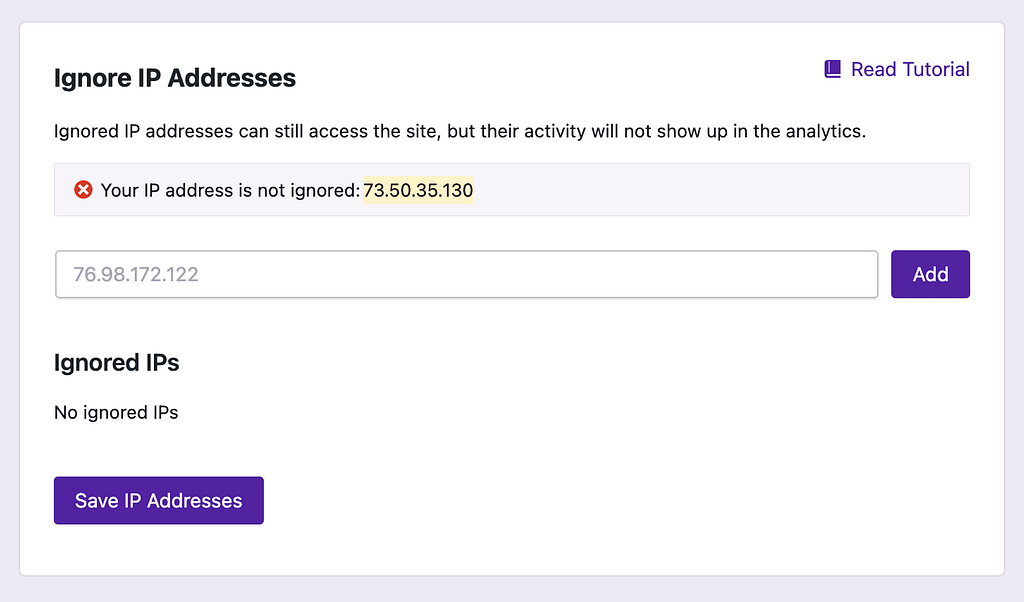
Right away, you’ll notice that the form is showing you that your current IP address is not blocked. It’s always a good idea to block your own IP so that your activity on the site doesn’t show up in your analytics.
To block your IP, copy the IP address and paste it into the field below. Then click the Add button. You’ll see it show up in the “Ignored IPs” section.
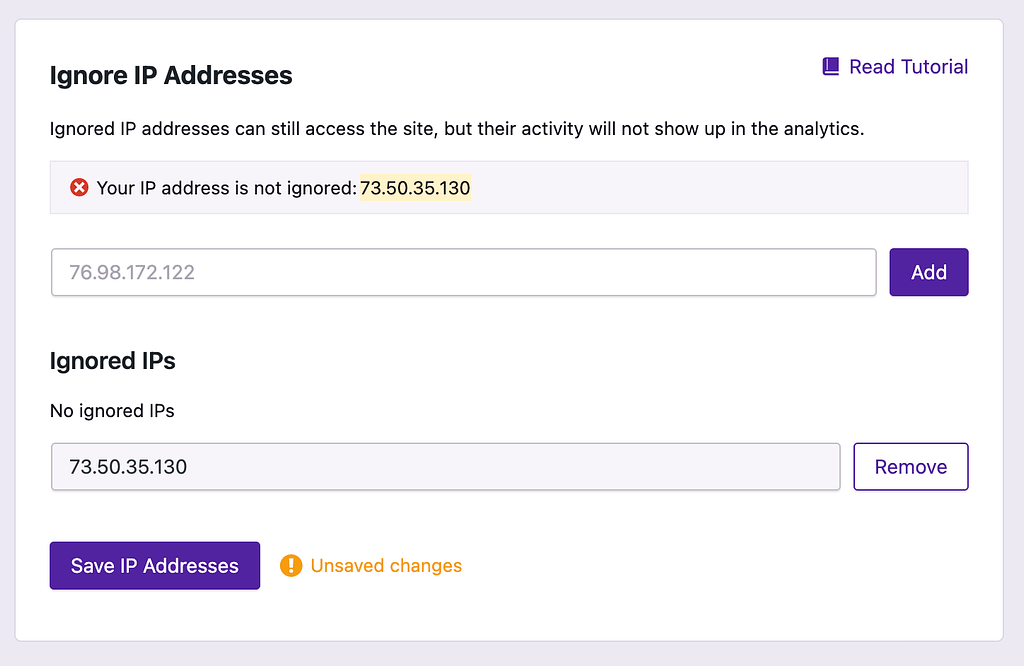
Lastly, click the Save IP Addresses button to finalize your changes. The notice will now confirm that your IP address is blocked.
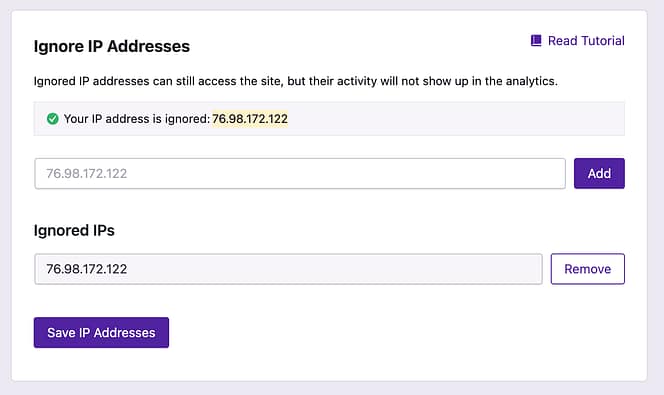
It’s worth noting that the IP address comes from your router and not your device, so blocking your IP while at home will prevent traffic from all of your devices from being recorded in your analytics. Likewise, it is a good idea to also block your IP at the office or other places you frequently work from.
If you’d like to track a blocked IP again in the future, click the Remove button to stop blocking it.
Independent Analytics also supports blocking dynamic IP addresses using wildcards.
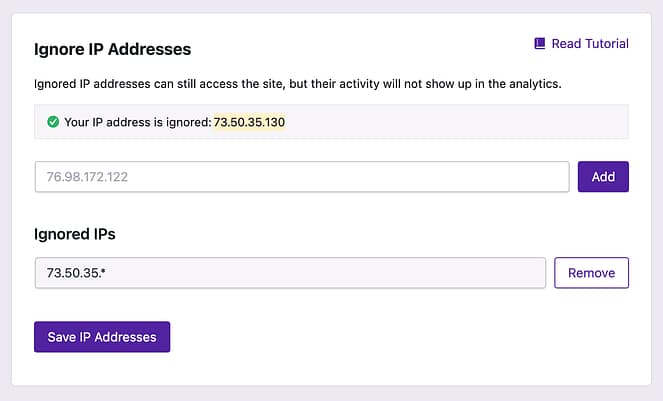
A wildcard (*) will allow any number to take its place. For example, the IP address 76.98.172.122 will be blocked by 76.98.172.*.
Multiple wildcards are also allowed. For instance, that same client IP address would be blocked by 76.98.*.*.
Lastly, if the wildcard IP is shorter than the client IP, this will also block the IP address. For instance, the IP address 76.98.172.122 would be blocked by 76.98.*.
Please use wildcards carefully, as they have the power to unintentionally block more visitors than desired.