For example, let’s say you want to know how many visitors click on the link in your Twitter bio. Using the Campaign URL Builder, you could create a URL like this:
mywebsite.com/?utm_source=Twitter&utm_medium=Social+Media&utm_campaign=BioThis URL tells us that the source is Twitter, the medium is social media, and this link, in particular, is from your Twitter bio.
In the Campaigns dashboard, you’ll be able to see how many visitors click on this link:
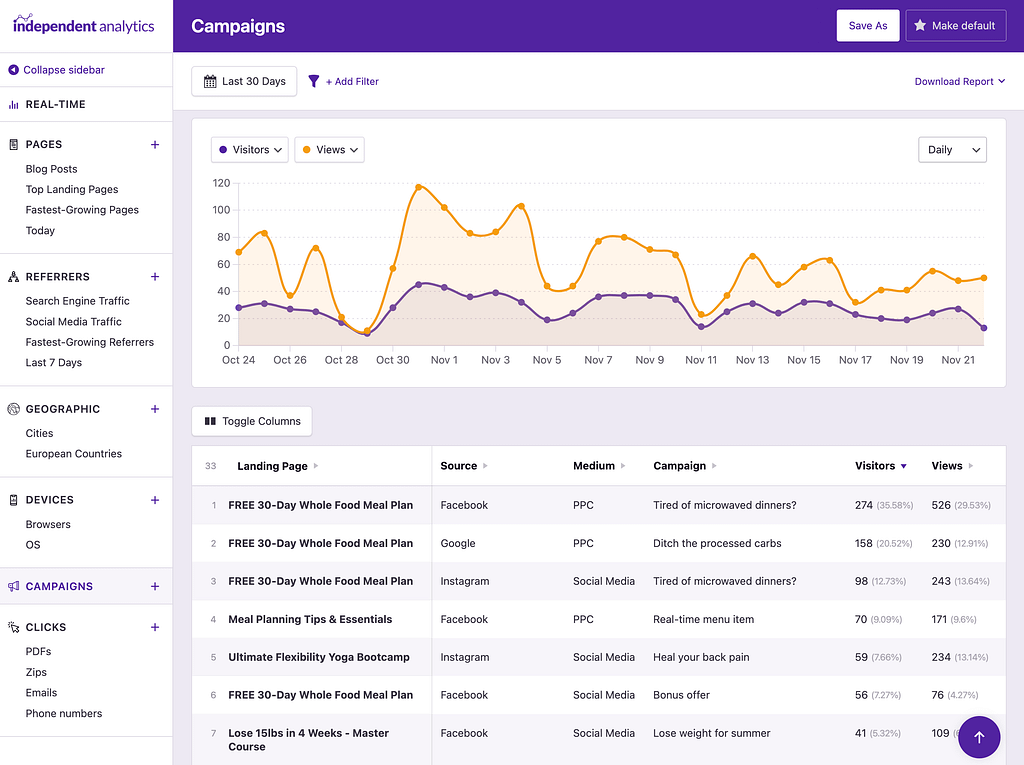
As you can see, Campaign URLs are extremely useful for tracking precisely where your traffic comes from, so you can evaluate the effectiveness of your marketing efforts.
You can use Campaign URLs any time you have control over an external link. This applies to:
Paid ads
Guest posts
Email marketing
Social posts
And more
Now that you understand the value of using campaign URLs, here’s how you can get started creating campaign links: